 iDEA (interacting Dynamic Electrons Approach)
Exploring exact solutions and practical approximations in many-electron quantum mechanics.



iDEA (the interacting dynamic electrons approach) is a comprehensive software library that enables users to explore and understand the intricacies of many-body quantum mechanics. Developed at the University of York and the École polytechnique, iDEA is written in Python and offers both exact and approximate approaches to quantum mechanics. With its focus on reproducibility, interactivity, and simplicity, iDEA has been used in a variety of research projects to gain insights into fundamental theories, such as density functional theory and many-body perturbation theory, as well as in educational contexts, such as Coursera online courses.
One of the main goals of iDEA is to help users understand when popular approximations used in practical quantum theory calculations may be unreliable and why. By using iDEA to study a variety of systems, researchers can identify the circumstances in which these approximations are least secure and develop more advanced methods for use in materials science.
Installation
User
To install the latest version of the iDEA code:
pip install iDEA-latest
To add iDEA to your poetry environment:
poetry add iDEA-latest
Developer
If you would like to develop iDEA, first fork this git repository, and then clone from there.
Add the upstream repository: git remote add upstream https://github.com/iDEA-org/iDEA.git
Optionally, create a virtual environment first:
python -m venv .venv
source .venv/bin/activate
Install locally with dev dependencies: pip install -e ".[dev]"
Code Quality
iDEA uses ruff for linting and formatting, installed automatically with the dev dependencies. Before submitting a pull request, please run:
ruff check iDEA/ tests/ benchmarking/
ruff format iDEA/ tests/ benchmarking/
Testing
To run unit tests: pytest -v
The GPU tests in tests/test_gpu.py check that the GPU and CPU produce the same results for interacting ground-state and time-dependent calculations. They are skipped automatically unless CuPy is installed (see GPU Acceleration). On an Intel i9 / RTX 4090 these take roughly 26 minutes.
Benchmarking
The benchmarking directory contains scripts that measure how the exact interacting solver scales on the CPU compared to the GPU:
python benchmarking/gpu.py      # ground state, grid sizes 50-450
python benchmarking/gpu_td.py   # time-dependent propagation, grid sizes 50-300
Each script detects your CPU and GPU, prints them along with an estimated runtime calibrated on your machine, and then writes a plot of wall-clock time and peak memory against grid size to benchmarking/gpu_scaling.png and benchmarking/gpu_td_scaling.png respectively.
On an Intel i9 / RTX 4090 these take roughly 11 minutes and 2 minutes. Most of that is the CPU points, whose cost grows steeply with grid size — the GPU sweep is a small fraction of the total. Without CuPy installed both scripts still run, recording the CPU points and skipping the GPU ones.
Documentation
For full details of usage please see our tutorial. The full API documentation is available at readthedocs.
Features
Some of iDEA’s features:
- Exact solution of the many-electron problem by solving the static and time-dependent Schrödinger equation, including exact exchange and correlation.
- Exact solutions which approach the degree of exchange and correlation in realistic systems.
- Free choice of external potential that may be time-dependent, on an arbitrarily dense spatial grid, for any number of electrons with any spin configuration.
- Implementation of various approximate methods (established and novel) for comparison, including:
- Non-interacting electrons
- Hartree theory
- Restricted and unrestricted Hartree-Fock
- The Local Density Approximation (LDA)
- Hybrid functionals
- Implementation of all common observables.
- Reverse-engineering algorithms (static and dyanmic): Determines the multiplicative potential by inverting single-particle Schrödinger equations based on input densities, encompassing Kohn-Sham potential and advanced variations.
- Fully parallelised using OpenBLAS.
- GPU acceleration of the exact interacting solver (see GPU Acceleration).
Example
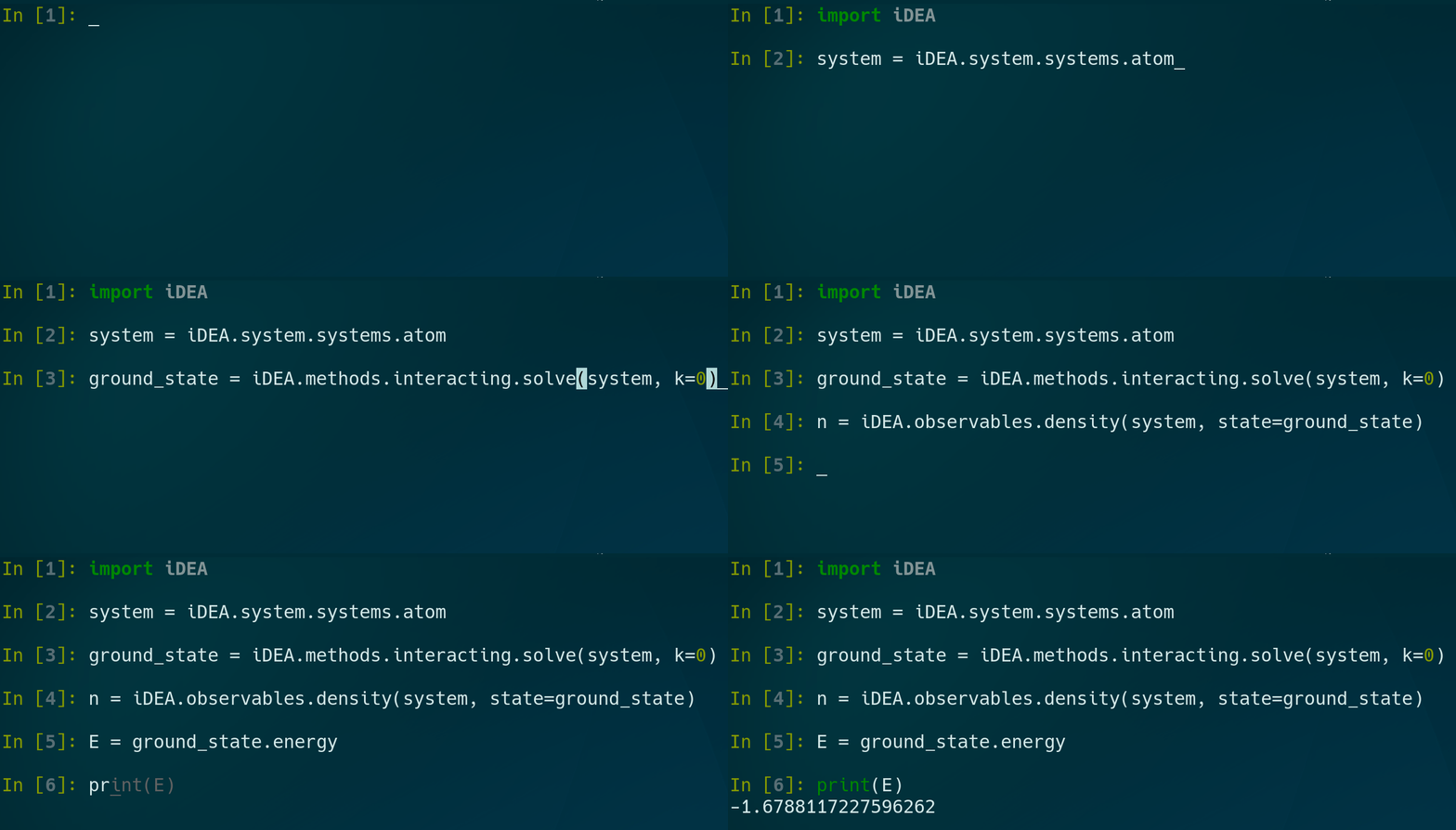
In order to solve the Schrödinger equation for the two electron atom for the ground-state charge density and total energy:
import iDEA
system = iDEA.system.systems.atom
ground_state = iDEA.methods.interacting.solve(system, k=0)
n = iDEA.observables.density(system, state=ground_state)
E = ground_state.energy

import matplotlib.pyplot as plt
print(E)
plt.plot(system.x, n, 'k-')
plt.show()
GPU Acceleration
Solving the many-electron Schrödinger equation exactly is by far the most demanding thing iDEA does: the size of the problem grows exponentially with the number of electrons, and even two electrons on a fine grid means working with matrices with tens of billions of elements. To make this fast, iDEA can offload this heavy linear algebra to an NVIDIA GPU using CuPy.
GPU acceleration is available for the exact interacting solver (iDEA.methods.interacting), for both:
- Ground-state and excited-state calculations — building the many-body Hamiltonian and solving the eigenproblem on the GPU.
- Time-dependent calculations — propagating the many-body wavefunction through time on the GPU.
Using it is as simple as adding GPU=True:
import iDEA

system = iDEA.system.systems.atom

# Solve for the ground state on the GPU.
ground_state = iDEA.methods.interacting.solve(system, k=0, GPU=True)

# Propagate in time on the GPU.
evolution = iDEA.methods.interacting.propagate(system, ground_state, v_ptrb, t, GPU=True)
Everything else about your workflow stays the same — the results are returned as ordinary NumPy arrays, agree with the CPU implementation to machine precision, and all observables can be computed as usual. If you don’t have a GPU, simply leave GPU=False (the default) and the calculation runs on the CPU.
A few things to be aware of:
- You will need an NVIDIA GPU with CUDA, and the CuPy package installed. It is an optional dependency, so it is not installed by default — use
pip install -e ".[gpu]"(orpip install cupy-cudaxxxdirectly, matching your CUDA version). - The approximate methods (non-interacting, Hartree, Hartree-Fock, LDA, hybrids) run on the CPU only. This is by design: they work with small single-particle matrices for which a GPU offers no benefit — they are already fast.
- The speedup grows with system size: the finer the grid and the more electrons, the more the GPU helps.
You can measure the performance benefit on your own hardware using the scripts in the benchmarking directory — see Benchmarking.
Tutorial
We provide a tutorial where you can learn how to use the iDEA code in your research and teaching projects.
Papers You Can Reproduce With iDEA
- “Advantageous nearsightedness of many-body perturbation theory contrasted with Kohn-Sham density functional theory”, J. Wetherell, M. J. P. Hodgson, L. Talirz, and R. W. Godby, Physical Review B 99 045129 (2019). paper, reprint, preprint, code.
More coming soon…
The development and applications of the iDEA code from 2010 to 2021 is documented here.
Teaching
iDEA can be used to create teaching content, visualisations and expositions. For example, see the following YouTube video created using iDEA.
iDEA was used to create teaching content for the Density Functional Theory MOOC on Coursera.
Developers
Dr. Jack Wetherell, Dr. Matt Hodgson and Dr. Leopold Talirz.



Contributors
We thank all of the developers, PhD students, master’s students, summer project interns and researchers for thier key contributions to iDEA:
Sean Adamson, Leo Arnstein, Jacob Chapman, Thomas Durrant, Razak Elmaslmane, Mike Entwistle, Fabien Faria, Rex Godby, Matt Hodgson, Piers Lillystone, Aaron Long, Robbie Oliver, James Ramsden, Ewan Richardson, Paul Sharp, Matthew Smith, Leopold Talirz and Jack Wetherell.
Getting Involved
To get involved:
- Raising issues and pull requests here is greatly appreciated!
- We can add any papers that can be fully reproduced by iDEA to our dedicated page by sending your open access paper to jack.wetherell@gmail.com.
- We provide a template to get you started!
Dependencies
iDEA supports python 3.8+ along with the following dependences:
numpy >= "1.22.3"
scipy >= "1.8.0"
matplotlib >= "3.5.1"
jupyterlab >= "3.3.2"
tqdm >= "4.64.0"
pytest >= "8.3.0"